Chrome adds Gemini scam analysis, suspicious-site warnings and ClickFix checks
Google announced new Safe Browsing Enhanced Protection features in Chrome, including a lower-confidence "suspicious site" warning shown as a bypassable pop-up alongside the existing full-page red warning for dangerous sites, according to 9to5Google, TechRepublic, CNET and ZDNET. Enhanced Protection now uses a server-side Gemini model to analyze a page's brand, intent and a scam-likelihood score together with domain reputation, replacing earlier on-device approaches, and Google says page content is processed ephemerally and not logged, retained or used for training. Chrome also checks clipboard content copied from suspected ClickFix pages — stripping personally identifiable information before sending it to Safe Browsing and warning on a dangerous verdict; Google claims Enhanced Protection makes users ten times safer from phishing and other scams than Standard Protection, a claim not independently verified in the supplied reports.
The update moves Gemini-based scam detection from on-device checks to a cloud model that scans page content for a much wider set of scams, and adds a new intermediate warning tier in the browser's main address bar.
Chrome today announced the latest features for Safe Browsing Enhanced Protection. Google says this mode makes users ten times safer from phishing, social engineering, notification abuse, and other scams compared to Standard Protection.
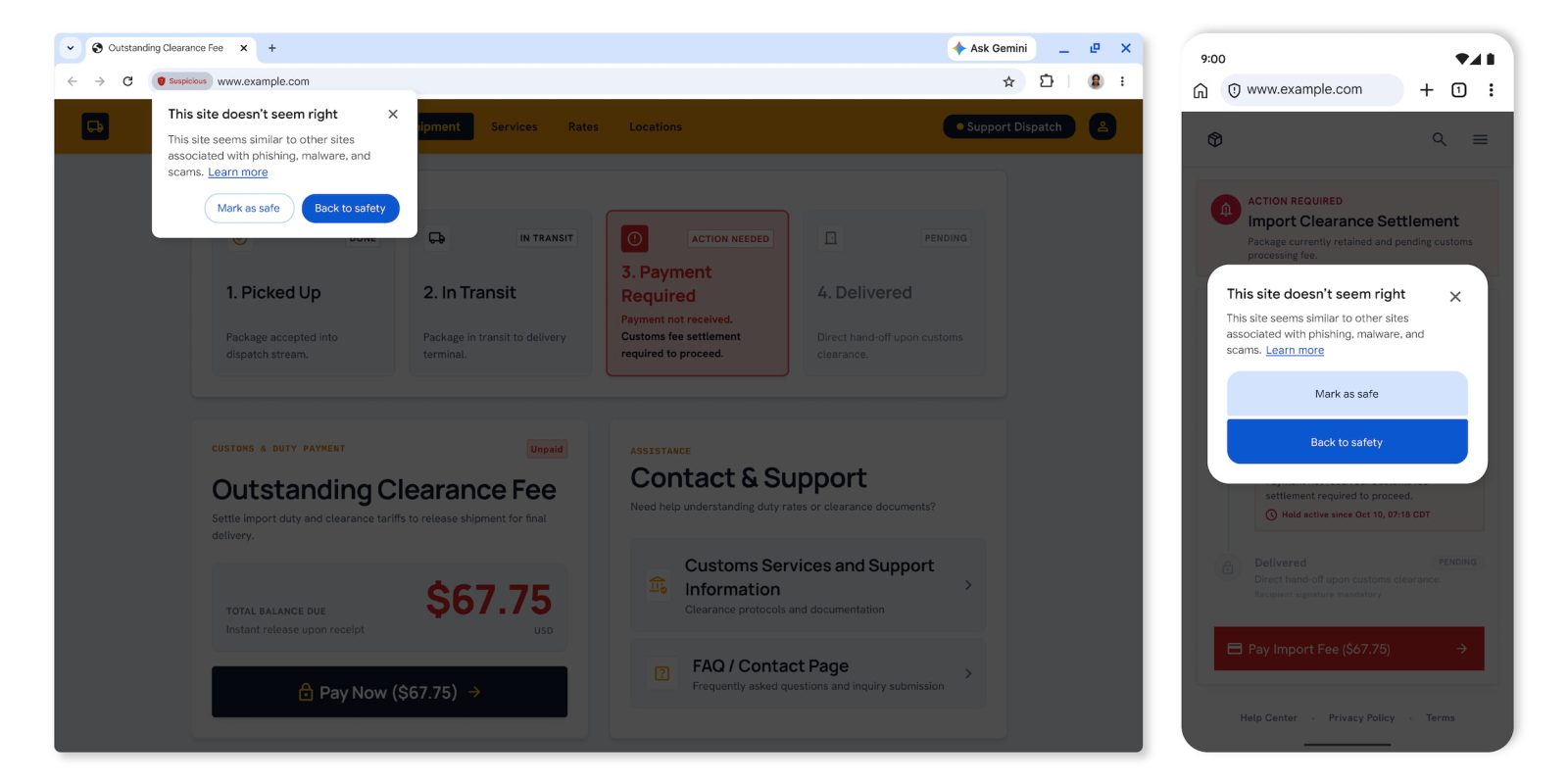
Chrome is adding suspicious site warnings in the address bar “when a page exhibits deceptive patterns commonly associated with known malicious sites.” There are two tiers:
- Suspicious sites (lower confidence verdict, possible risk of user harm)
- Dangerous sites (high confidence verdict, high risk of user harm)
Suspicious sites (above) will trigger a shield icon in the Omnibox, with a dialog box letting you “Mark as safe” or go “Back to safety.”
Dangerous site alerts (below) will continue to appear as a “full-page red interstitial warning.”