iOS 27 快捷指令:自然语言创建与更多 AI 模型
TechRepublic 梳理了 iOS 27 对快捷指令的改动:用户可以用自然语言描述想要的流程,Apple Intelligence 会生成可测试、修改、编辑后再保存的快捷指令,原有手动编辑器保留。新增截图、键盘、通知三类自动化触发条件,自动化与快捷指令动作合并到同一编辑器并可跨设备同步。Use Model 动作扩展到 On-Device、Cloud、Cloud Pro 以及调用 ChatGPT 的 Extension Model,新模型在支持时可联网获取最新信息,并新增模型记录用于查看传给模型的原始输入。
这些改动把模型调用放进日常自动化流程中,因此关键问题变成:在自动化无人值守运行前,哪些数据会到达端上模型、Private Cloud Compute 或外部模型。
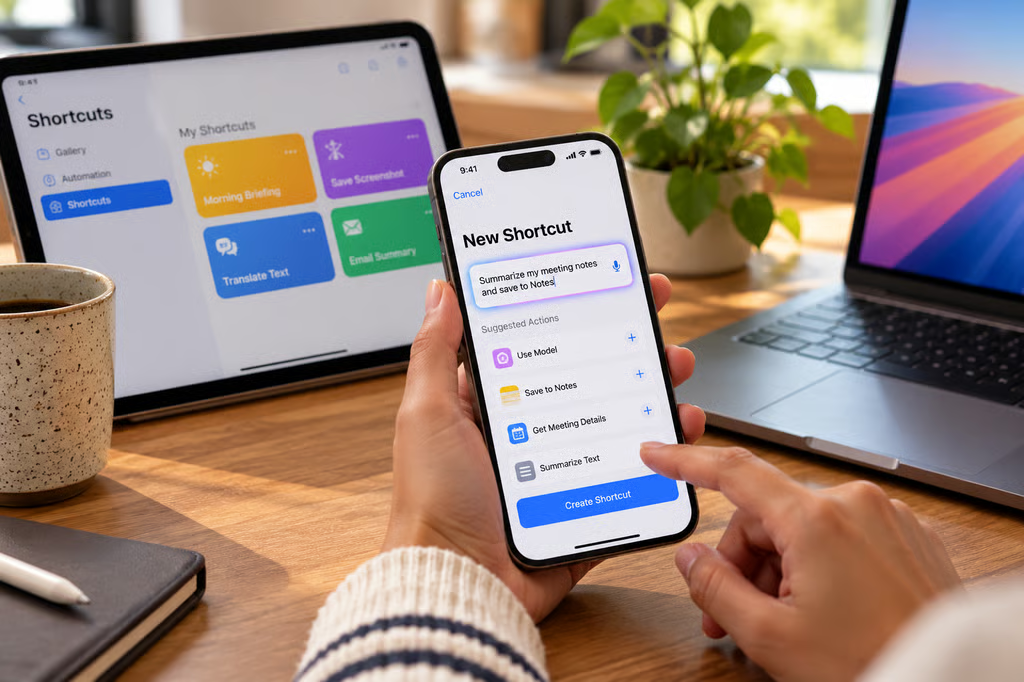
iOS 27 expands Shortcuts with natural-language creation, new automation triggers, and additional AI model options for building more complex workflows. Image generated by ChatGPT.
We may earn from vendors via affiliate links or sponsorships. This might affect product placement on our site, but not the content of our reviews. See our Terms of Use for details.
iOS 27 makes Shortcuts much easier to build by letting users describe what they want in natural language instead of assembling every action manually. Apple Intelligence can turn that description into a shortcut that users can test, revise, or edit before saving.
The bigger change for existing Shortcuts users is what happens inside those workflows. The Use Model action can work with on-device and cloud models, while new notification, screenshot, and keyboard triggers create more opportunities for automations to run without someone manually starting them.
#Apple#Apple Intelligence#Shortcuts#ChatGPT#Private Cloud Compute#AFM 3 Cloud#Siri