
Gmail may let Gemini handle inbox tasks with user review
Google appears to be developing agentic Gemini tasks for Gmail’s AI Inbox, based on strings found in Gmail version 2026.09.28 and a post on X. The feature could let users start Gemini on suggested inbox action items, provide input when needed, and review or approve changes before tasks are completed or emails are sent.
Why it matters: It could make Gmail’s AI Inbox more useful while keeping human confirmation in the loop for consequential actions.
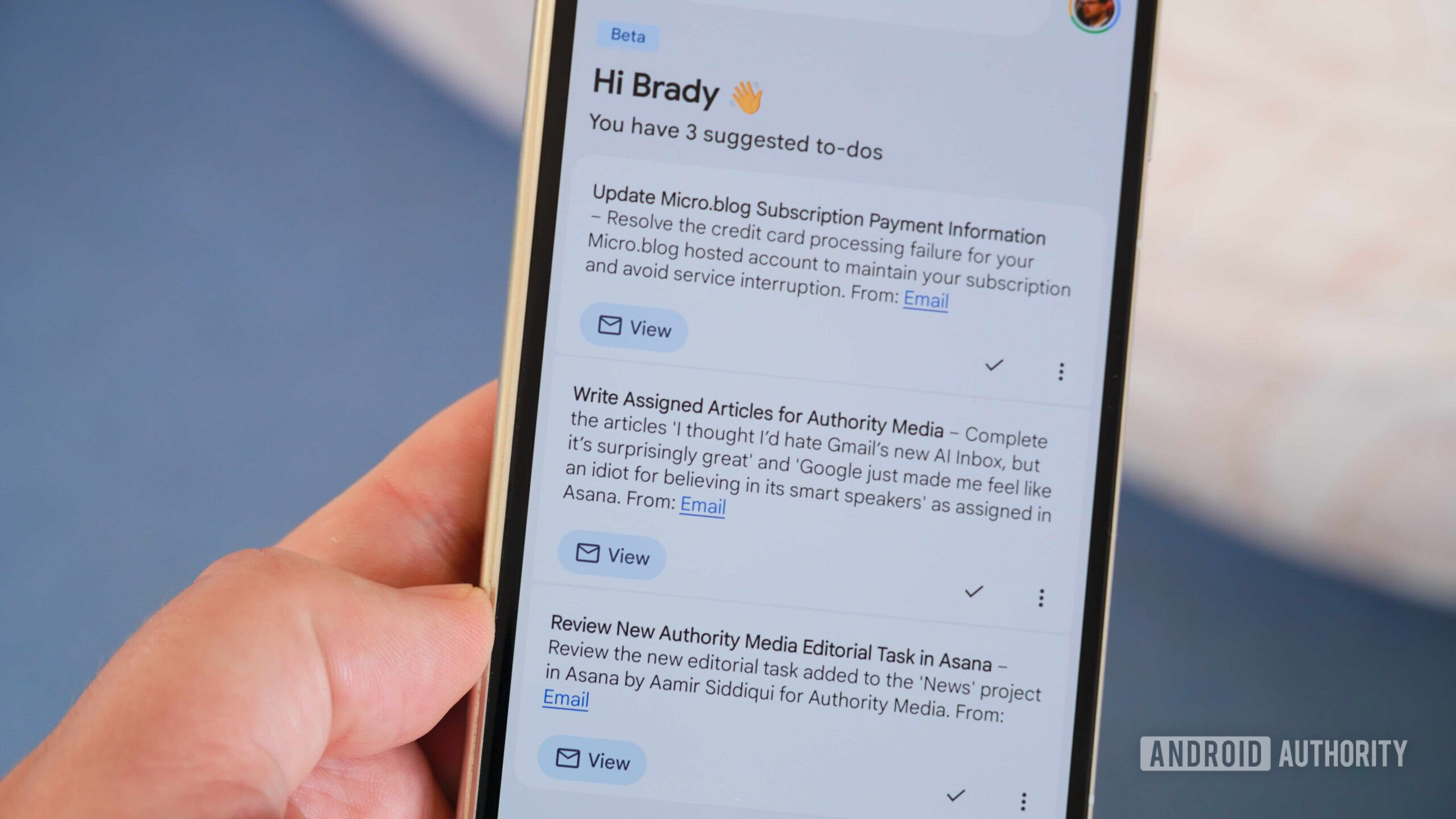
Brady Snyder / Android Authority
Add Android Authority on Google:
TL;DR
- Google is working on making AI Inbox even more useful with agentic Gemini tasks in Gmail.
- It will let users assign AI Inbox tasks for Gemini to handle.
- Gemini will ask for input where needed and will wait for human confirmation before sending any emails or marking a task as completed.
Since Google launched AI Inbox in Gmail, it has proven useful, especially for people who don’t keep a clean inbox. It surfaces important emails, shows action items, and basically makes it easier to manage your inbox. Now, Google is working on making AI Inbox even more capable.
You’re reading an Authority Insights story. Authority Insights brings you all the latest exclusive reports, app teardowns, leaks, and in-depth tech coverage from the Android Authority team that you won’t find anywhere else.
According to an X post by Abhishek Yadav, Google is working on adding support for agentic Gemini tasks in Gmail.
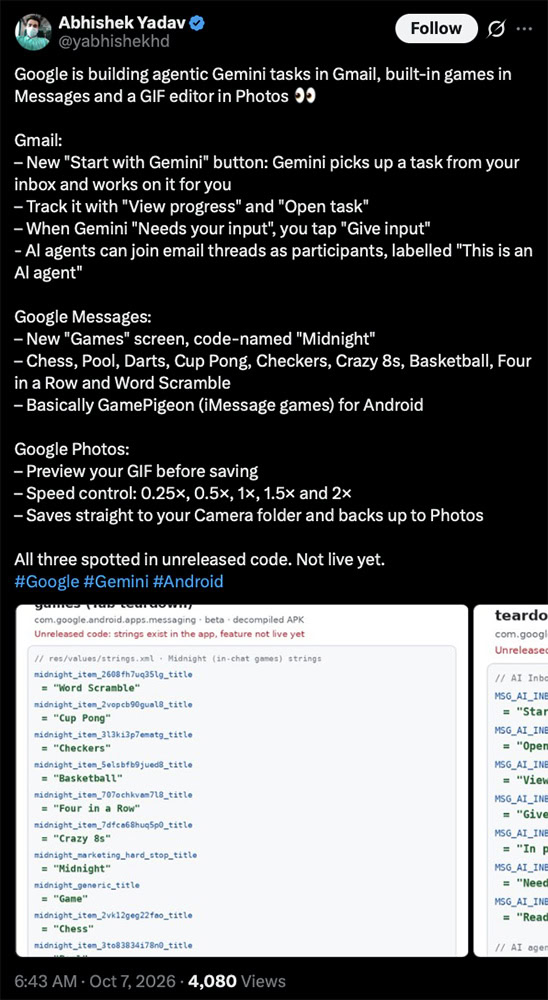 yabhishekhd / X
We also dug through the latest version of the Gmail app (v2026.09.28) and found several strings that give us a pretty thorough idea of how the feature could work.
yabhishekhd / X
We also dug through the latest version of the Gmail app (v2026.09.28) and found several strings that give us a pretty thorough idea of how the feature could work.
Promoted
Once the feature rolls out, AI Inbox could start showing a “Start with Gemini” button beside suggested action items. Tapping this button will put Gemini to work on the task, and AI Inbox will display an “In progress” subtitle next to it. It could also display a “Draft Reply” option for tasks that require the user to respond to an email.
While Gemini will work through the task on its own, it seems that the AI will defer to human input when in doubt and before marking any task as completed. Strings suggest that the feature could display a “Needs your input” status for tasks that require user input or confirmation. A button labeled “Give input” could then allow the user to provide any details Gemini needs to complete the task.
Strings we’ve spotted in the Gmail app’s code also suggest that users will see a “Ready for Review” status on tasks Gemini has completed. This could let users see what Gemini has done and approve or deny any AI-made changes.
Here are all the strings we found in the Gmail app:
Code
<string name="MSG_AI_INBOX_AGENTIC_FULFILLMENT_GIVE_INPUT_BUTTON_LABEL">Give input</string>
<string name="MSG_AI_INBOX_AGENTIC_FULFILLMENT_OPEN_TASK_BUTTON_LABEL">Open task</string>
<string name="MSG_AI_INBOX_AGENTIC_FULFILLMENT_START_WITH_GEMINI_BUTTON_LABEL">Start with Gemini</string>
<string name="MSG_AI_INBOX_AGENTIC_FULFILLMENT_VIEW_PROGRESS_BUTTON_LABEL">View progress</string>
<string name="MSG_AI_INBOX_AGENTIC_IN_PROGRESS_TASK_SUBTITLE">In progress</string>
<string name="MSG_AI_INBOX_AGENTIC_NEEDS_INPUT_TASK_SUBTITLE">Needs your input</string>
<string name="MSG_AI_INBOX_AGENTIC_READY_FOR_REVIEW_TASK_SUBTITLE">Ready for review</string>
<string name="MSG_AI_INBOX_AGENTIC_FULFILLMENT_TASK_PROMPT">Accomplish this Task</string>
<string name="MSG_AI_INBOX_AGENTIC_FULFILLMENT_OPEN_TASK_BUTTON_LABEL">Open task</string>
<string name="MSG_AI_INBOX_AGENTIC_FULFILLMENT_REPLY_BUTTON_LABEL">Draft Reply</string>
AI Inbox is one of the few AI features in Gmail that is actually quite useful in easing the email overload we’ve all learned to live with. Whenever Google rolls out agentic Gemini tasks in Gmail, it might make it even simpler for users to get a handle on their inbox.
⚠️ An APK teardown helps predict features that may arrive on a service in the future based on work-in-progress code. However, it is possible that such predicted features may not make it to a public release.
Follow
Thank you for being part of our community. Read ourComment Policy before posting.
How we got here
- Finland Orders Google to Halt Work on Two Data CentersCNBC Technology · Google
- U.S. Data Center Construction Spending Rises 73% to $85B Annual Pace科技新报 · Google
- Google Project Zero urges emergency mitigations before formal patchesiThome 台湾 · Google
- Gemini CLI v0.63.0 ships reliability and agent-loop fixesGemini CLI Releases · Google
- Google rolls out major Pixel Buds update with Live Translate9to5Google · Google
- WIRED Reviews ‘Artificial,’ a Dark Comedy About OpenAI and AI RiskWIRED AI · Google